Audio Mixer
Channel strips, bus routing, gain, pan, solo, AFV, AGC, and per-bus hardware output.
LiveWing's audio mixer is a custom vDSP mixing engine running entirely inside a CoreAudio HAL render callback. All mixing — ring buffer reads, per-source gain and pan, bus accumulation, master processing, and metering — happens on the real-time audio thread with zero allocations. The system runs at 48 kHz, stereo, 32-bit float with a 256-sample buffer (approximately 5.3 ms latency at 48 kHz).
Up to 16 sources can be active simultaneously in the mixer.
Bus architecture
LiveWing has seven audio buses: M, A, B, C, D, E, F. Bus M is the master program bus and is always present. Buses A–F are optional and can be enabled as needed.
| Bus | Typical use |
|---|---|
| M | Program mix — goes to all outputs and recordings by default |
| A | Preview monitor or IFB |
| B–F | Auxiliary mixes: clean feeds, crowd audio, talent monitors |
Each source has an independent send level to each enabled bus (0.0 = off, 1.0 = full). You can send commentary audio at full level to Bus M while excluding it from Bus B for a clean international feed.
Each enabled bus can be routed to a hardware audio output device connected to your Mac. Bus M drives the primary system output by default.
Channel strip controls
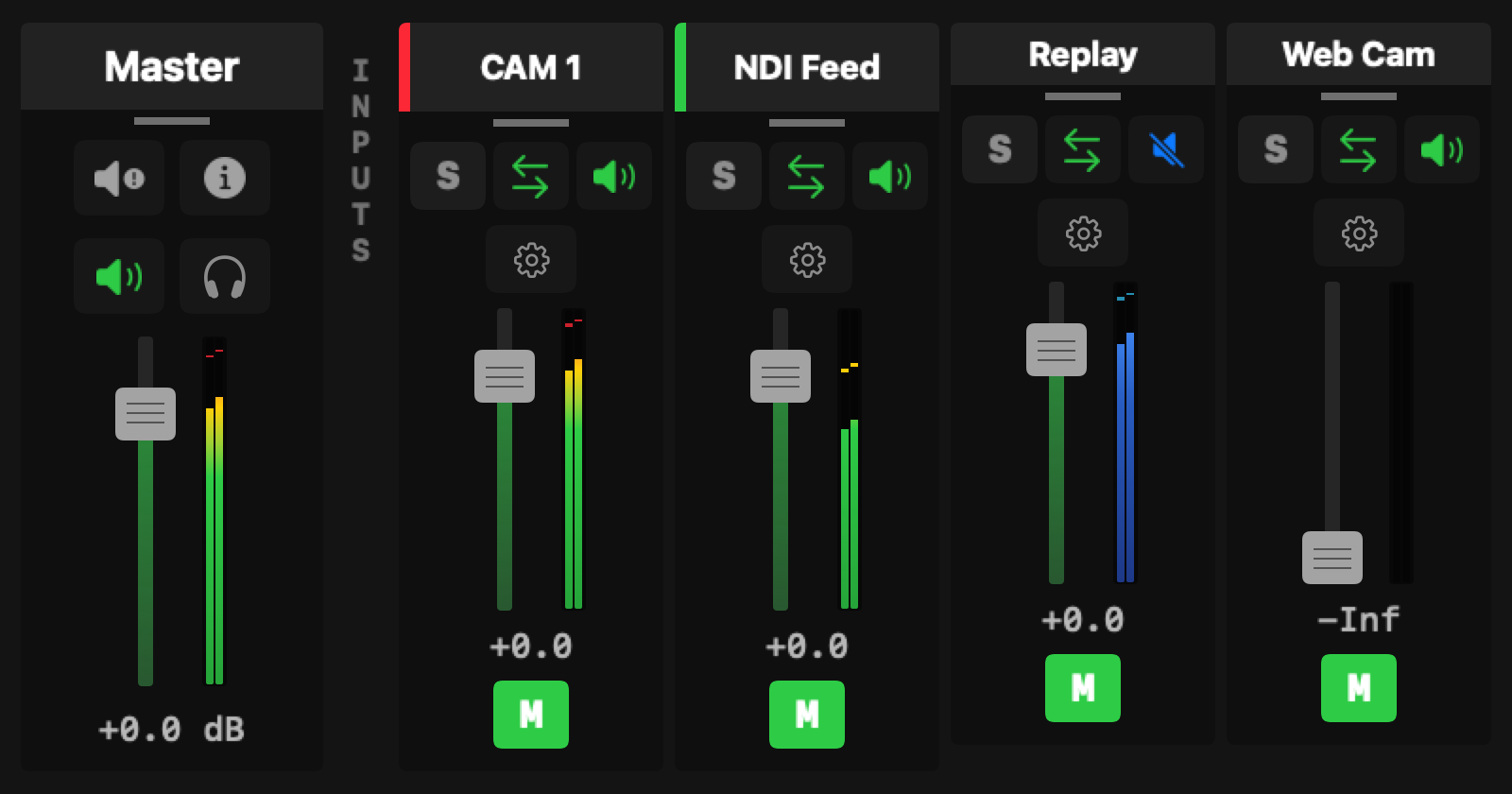
Open the mixer panel to see a full channel strip for every active source.
Gain — Linear gain derived from a dB setting. Unity (0 dB) is 1.0.
Pan — Stereo pan from –1.0 (hard left) to +1.0 (hard right). Uses constant-power panning so the perceived level stays consistent across the stereo field.
Mute — Silences the source on all buses. Muted sources still show meter activity.
Solo — Routes only that source to the monitor path. All other sources are suppressed in the monitoring path while a source is soloed. Solo does not affect the program output.
AFV (Audio-Follows-Video) — When enabled (the default), the source's audio automatically follows the switcher's program bus. When the source is taken to program, its audio fades in on Bus M; when cut away, it fades out. Disable AFV on sources that should always be present regardless of what's on camera (walk-in music, tone generators).
Automatic Gain Control (AGC)
Each channel strip has an optional AGC that targets –18 dBFS RMS using a WebRTC AGC2-inspired algorithm. It uses a 400 ms smoothing time constant (EBU R128 momentary window), slew-limits gain changes to 6 dB/sec to avoid audible pumping, and includes a noise gate at –50 dBFS that prevents the AGC from boosting noise during silence. The maximum boost is +30 dB; the maximum attenuation is –20 dB. AGC is off by default.
Metering
Input meters update at approximately 15 Hz. Peak indicators are held for 2 seconds before decaying at 20 dB/sec. Bus M shows the program mix levels. The meters skip every two out of three render callbacks to reduce overhead — effective update rate is roughly 31 Hz per callback, flushed to the UI at 15 Hz.
Master processing
The master Bus M strip has its own gain control and a limiter with a default ceiling of –0.3 dBFS. The limiter is active by default as a safety net for the program output. Master configuration (gain, limiter ceiling, bypass state) is saved in presets.
Per-bus hardware routing
Any enabled bus can be assigned to a hardware audio output device. When a bus is assigned to a device, a dedicated HAL output AudioUnit drives that device using the same render callback infrastructure. Multiple devices can run simultaneously — for example, Bus M to the main system output and Bus A to a USB headphone amplifier for the preview monitor.
Bus routing to hardware audio devices and per-source send levels are saved in your preset. Loading a preset restores the full mix configuration, including device assignments.
API control
The WebSocket API exposes the full mixer surface:
audio.setGain— set channel or master gain in dBaudio.setPan— set pan position (–1.0 to +1.0)audio.mute/audio.unmute— mute or unmute a channelaudio.toggleAFV— toggle audio-follows-video for a sourceaudio.setBusSend— set a source's send level to a specific bus
See the API Reference for full parameter details.